3D Gallery Builder
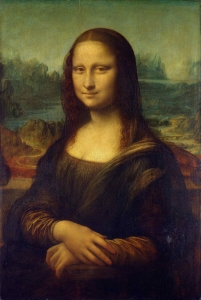
Turn any flat image into a 3D artwork you can preview on screen and place on a wall in Augmented Reality. The 3D Gallery Builder generates a dynamic 3D model from a JPG or PNG complete with optional mount or frame – so visitors can see how art, photos, or prints look in real space.
The ‘ar-gallery’ shortcode is the simplest way to embed a gallery model on any page or post.
How it works
- Image source — Uses the featured image of the current page/post, or a custom URL you provide.
- 3D model generation — The plugin builds a glTF model on the fly via the gallery endpoint, wrapping your image in the chosen aspect ratio and frame style.
- Interactive viewer — Visitors can rotate and zoom the artwork in 3D, switch print sizes (unless hidden), and launch View in AR to hang it on a wall.
Gallery models default to wall placement in AR, which suits framed artwork and photos.
Shortcode options reference
Frame, color & opacity
Example:
Aspect ratios explained
If you omit ratio, the plugin calculates the closest match from the image’s pixel dimensions. If you set ratio or orientation, that choice is locked and won’t change when the image loads.
Print sizes
Available sizes depend on the aspect ratio. Examples from the built-in catalog:
1:1 (Square) — 8×8 in through 36×36 in
A4–A1 — A4, A3, A2, A1 paper sizes
2:3 — 8×12 in through 30×48 in
4:5 — 8×10 in through 30×24 in
3:4 — 9×12 in through 18×24 in
3:1 (Panorama) — 5×15 in through 20×60 in
The size dropdown shows human-readable labels (cm and inches). Use the scale attribute to aopply a custom scale; use hide="size" to hide the selector entirely.
Which ratios and sizes appear can be limited under AR Settings → AR Gallery.
Frame types
When frame options are available (via WooCommerce shortcode attributes or the model editor’s 3D Gallery Builder tab):
- None — Artwork only, no mount or frame geometry.
- Mounted — Mounted presentation with customizable color and opacity.
- Framed — Full picture-frame style for a traditional gallery look.
Frame color accepts hex values. Opacity runs from 0.0 (fully transparent) to 1.0 (fully opaque).
Examples
Example 1 – Auto-detected ratio (featured image)
Shortcode: ar-gallery
Example 2 – 2:3 landscape, framed
Shortcode: ar-gallery ratio=”2:3″ orientation=”landscape” frame=”framed” color=”#333333″
Example 3 – 1:1 square, mounted, fixed size
Shortcode: ar-gallery image_url=”YOUR_IMAGE_URL_HERE” ratio=”1:1″ orientation=”square” frame=”mounted” color=”#f8f8f8″ scale=”4″ hide=”size”
Example 4 – 3:1 panorama, fixed size, framed
Shortcode: ar-gallery image_url=”YOUR_IMAGE_URL_HERE” ratio=”3:1″ orientation=”landscape” scale=”2″ frame=”framed” color=”#000000″