Furniture Retailer Case Study

How one furniture retailer used AR to increase online sales and reduce costly returns.

Home Home

Industry

Online and showroom-based furniture retailer selling sofas, dining tables, storage units and decor.

Plugins Used

AR for WooCommerce

Chart-bar Chart-bar

Key Outcomes

Higher conversion rate, fewer returns and more confident customers buying big-ticket items online.
The Challenge

Buying furniture online is a high-friction decision. Customers constantly asked:

  • “Will this sofa actually fit in my living room?”
  • “Is this table too big for our dining space?”
  • “Will this colour clash with our flooring and walls?”

The result? Abandoned carts, endless pre-sale questions and returns when items didn’t look or feel right in the customer’s home.

Goals

The retailer wanted to:

  • Increase confidence to buy large items online.
  • Reduce return rates for bulky pieces.
  • Stand out from competitors with a premium, interactive experience.

They needed something easy to manage inside WordPress & WooCommerce, without rebuilding their entire store.

The AR Solution

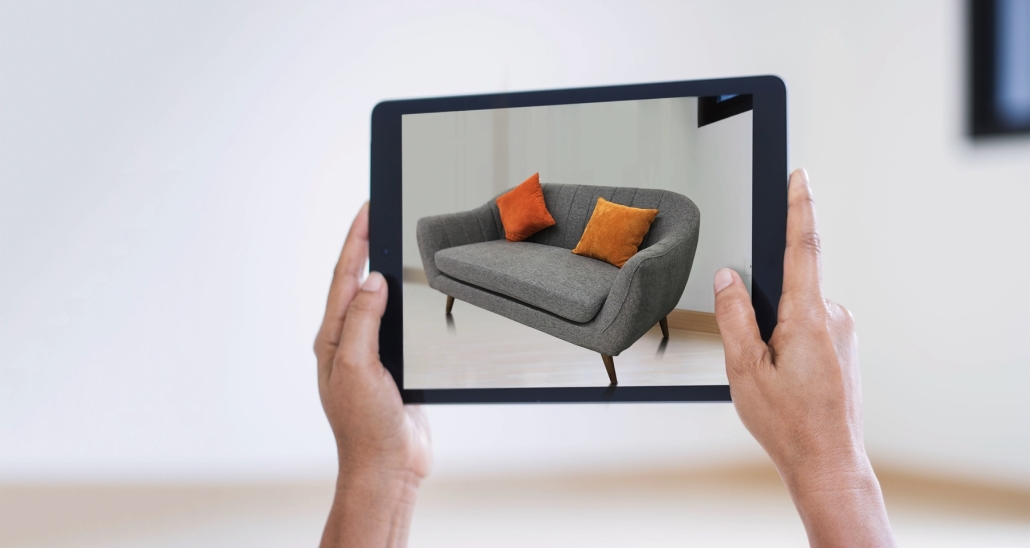
Using the AR for WooCommerce plugin, the retailer added a 3D model and AR view button directly on key product pages:

  • 3D models for sofas, dining tables, TV units and sideboards.
  • True-to-scale AR placement on iOS and Android using the device’s native AR viewer.
  • Fallback 3D viewer for desktop shoppers who can’t open AR on that device.

Customers simply tapped the AR button, dropped the sofa or table into their own living room and walked around it in real time – all from a standard product page.

Implementation in WordPress & WooCommerce

1. Prepare 3D Models

The retailer worked with a 3D artist to export key products as GLB/USDZ files, optimised for web and mobile AR.

Attach Attach

2. Attach to Products

Using AR for WooCommerce, each model file was linked to the corresponding product via the product editor.

Export Export

3. Publish & Promote

The team highlighted “Try in your room with AR” in banners, email campaigns and social posts to drive shoppers to AR-enabled products.

Results & Impact

Within the first few months of launching AR across their hero products, the retailer saw:

  • More time spent on AR-enabled product pages.
  • Higher add-to-cart rates on products with AR.
  • Fewer “wrong size/doesn’t fit” returns on sofas and tables.

These are indicative outcomes you can expect when customers can see your furniture at true scale in their own space before they buy.

“Once we added AR to our best-selling sofas and dining sets, customers stopped asking if things would fit — they just opened the AR view, checked it in their room and hit buy.”

Why Use AR for Furniture Retail?

Wordpress Wordpress

Built for WordPress

Works inside your existing WordPress / WooCommerce site – no custom app required.

Eye Eye

Native AR Viewers

Uses native iOS and Android AR viewers for smooth, familiar experiences on modern phones.

Resize-full Resize-full

Scales with Your Catalogue

Add AR to just a few hero products or roll it out across your entire range over time.

Users Users

Easy to Manage

Simple product-level controls so your team can update models and content without a developer.

Ready to Add AR to Your Furniture Store?

If you sell sofas, dining tables, beds or storage units online, AR can help your customers feel confident about every purchase.

Use AR for WordPress and AR for WooCommerce to turn your existing product pages into immersive, interactive showrooms.

No. The plugins use the native AR viewers built into modern iOS and Android devices. Your customers access AR straight from your website.

Yes. Many retailers begin with a handful of best-sellers (for example, top 10 sofas and dining tables) and expand their AR catalogue over time.

The plugins support modern web-friendly formats such as GLB and USDZ, which work across both 3D web viewers and mobile AR.