Home Building & Renovation Case Study

How a builder–designer team used AR product previews to speed up selections and sell more premium finishes.

Home Home

Industry

Custom home builder and interior designer helping clients choose vanities, tapware, tiles, lighting and cabinetry.

Plugins Used

AR for WordPress + AR for WooCommerce

Chart-bar Chart-bar

Key Outcomes

Faster selections, fewer change-of-mind variations and increased uptake of higher-end fixtures and finishes.
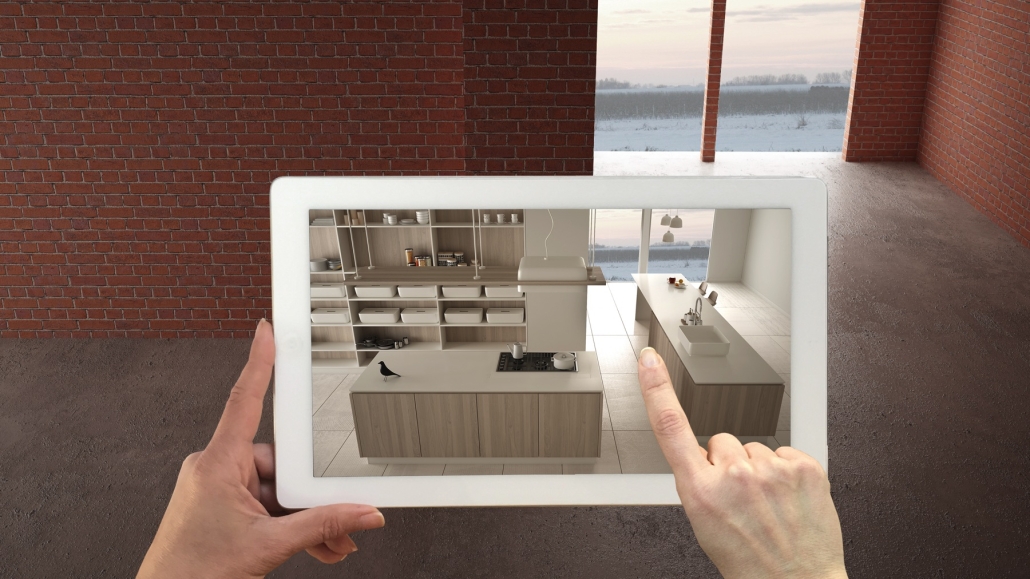
The Challenge

Selections meetings were dragging out. Clients struggled to picture:

  • How a vanity, basin and tap combo would actually look in their bathroom.
  • Whether tile colours and patterns would feel too dark or busy in the finished space.
  • How big pendant lights or island benches would feel once installed.

The result? Multiple rounds of selections, late changes, variation costs and frustration when the final space didn’t match what clients had imagined from flat samples.

Goals

The builder and designer wanted to:

  • Help clients “walk through” key fixtures and finishes before anything was ordered.
  • Reduce late changes once plumbing, electrical and cabinetry were already locked in.
  • Make it easier to recommend and justify higher-value fixtures and finishes.

They needed a way to show products at true scale in clients’ actual rooms – using tools that worked with their existing WordPress product library.

The AR Solution

Using AR for WordPress and AR for WooCommerce, the team added AR previews to their online selections library:

  • Key fixtures like vanities, freestanding baths, mixers, tiles and pendants available as true-to-scale 3D/AR models.
  • Clients tap an AR button from the selections page to place products directly in their bathroom, kitchen or alfresco.
  • Designers can send AR links alongside quotes so clients can review options at home with their family.

Clients could stand in their unfinished bathroom, drop in the vanity and tiles, and instantly see whether the scale and style felt right – before signing off on final selections.

Implementation in WordPress & WooCommerce

1. Prepare 3D Assets

The team sourced or commissioned lightweight GLB/USDZ models for hero fixtures – vanities, baths, mixers, pendants and feature tiles.

Attach Attach

2. Attach to Selections & Products

Using AR for WooCommerce, each 3D model was linked to products in the online selections library and standard WooCommerce product pages.

Export Export

3. Share in Client Workflows

Builders and designers added AR links into selections schedules, emails and client portals so AR became a natural part of the decision process.

Results & Impact

After introducing AR into their selections process, the builder–designer team noticed:

  • Clients making fixture decisions in fewer meetings, with less back-and-forth.
  • More confidence in choosing premium tapware, tiles and feature lighting once seen in AR.
  • Fewer costly variations caused by “this feels bigger/smaller than I expected” on site.

When clients can preview key fixtures at true scale in the rooms they’re building or renovating, they feel more confident approving designs and investing in higher-quality finishes.

“Instead of taking samples home and guessing, clients stand in their new bathroom and drop our vanities and mixers into place in AR. It’s cut down on indecision and made upgrades to premium ranges a much easier conversation.”

Why Use AR for Home Building & Renovation?

Wordpress Wordpress

Built for WordPress

Works with your existing WordPress or WooCommerce-based selections library – no separate app or portal required.

Eye Eye

Native AR Viewers

Uses native iOS and Android AR viewers so clients can see fixtures and finishes in their actual rooms.

Resize-full Resize-full

Start Small, Scale Up

Start with a handful of hero products – like vanities or tapware ranges – then extend AR across your full selections library.

Users Users

Easy for Your Team

Selections staff can attach AR models to products from the WordPress dashboard – no developer required for day-to-day updates.

Ready to Add AR to Your Selections Process?

If you help clients choose fixtures, fittings and finishes, AR can turn samples and mood boards into confident, on-site decisions.

Use AR for WordPress and AR for WooCommerce to turn your online selections library into an interactive AR showroom for every project.

No. The plugins use the native AR viewers built into modern iOS and Android devices. Clients open AR straight from your website or selections portal.

Yes. Many teams begin with a small set of high-impact fixtures – like vanities, baths or feature pendants – and expand their AR library as they go.

You’ll typically use GLB and USDZ files for 3D/AR models, which work across modern browsers and mobile AR. Once your models are ready, attaching them in WordPress is as simple as uploading any other media file.